AR Home Decor

Building an AR-Powered Home Decor Preview App for Confident Shopping & Room Planning

A Flutter-based augmented reality shopping app that lets users preview furniture, decor, appliances, electronics, and plants in their real space before buying – using ARCore to place 3D models on detected surfaces with intuitive controls.
Augmented Reality
Flutter
ARCore
Mobile Development
3D Models
UI/UX Design
E-Commerce

5K+

Product Categories - Furniture, Decor & More

15K+

3D Models - GLB Assets Preloaded

3+

AR Controls - Rotate, Scale, Move

100%

Offline Ready - No Backend Required
Overview

See It in Your Space Before You Buy It
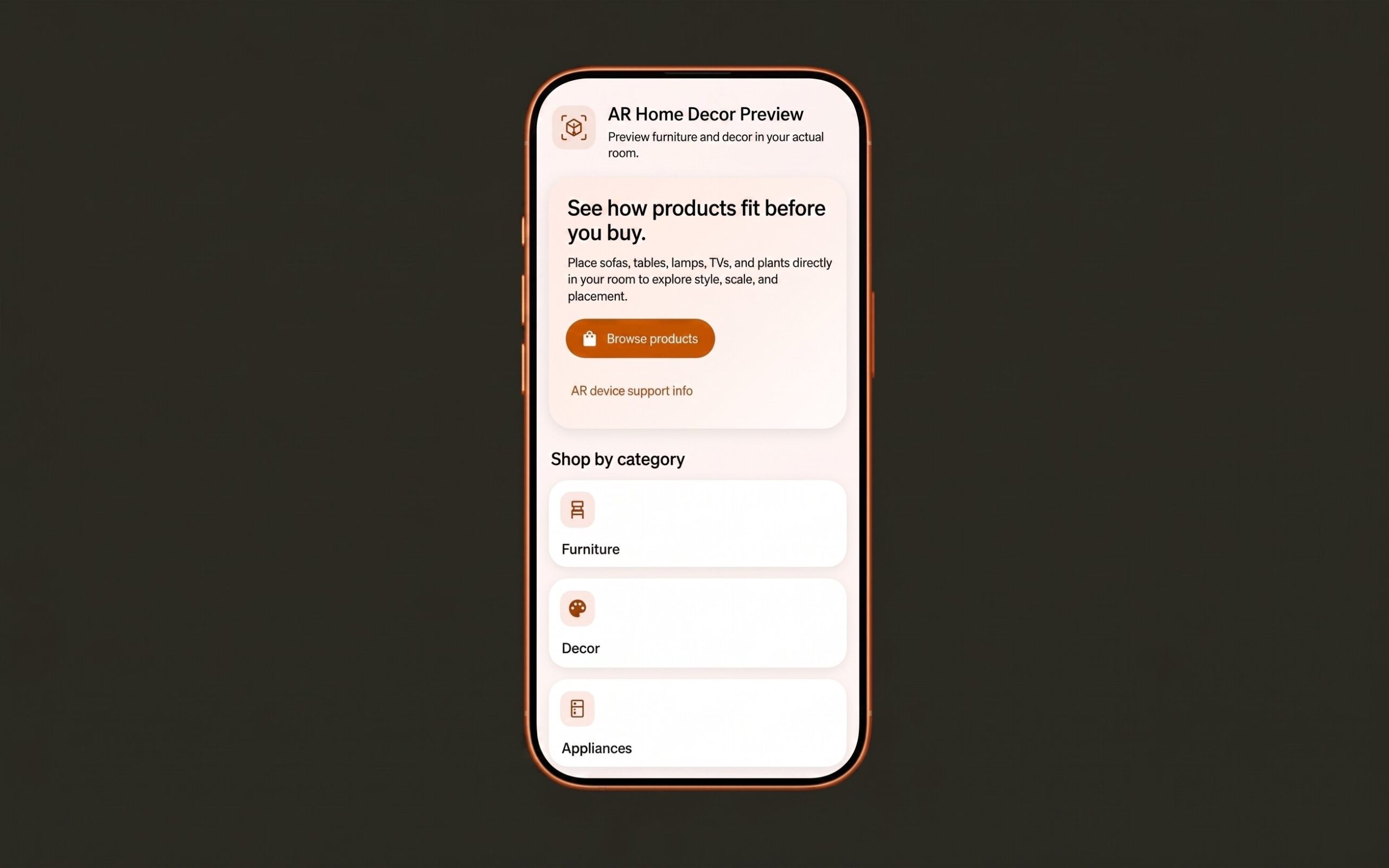
AR Home Decor Preview is a Flutter-based augmented reality shopping and roomplanning app that helps users preview home furniture, decor, appliances, electronics, and plants in their real space before buying or placing them. The app uses ARCore on supported Android devices to place static .glb 3D models directly on detected floors or tabletops. Users can browse products by category, view product details, and then open an AR camera view to test how each item looks in a real room – eliminating the guesswork of online furniture shopping.
What the Client Brings
What the Website Includes

Challenges

The Uncertainty of Shopping from a Screen
Key problems addressed:
Buying furniture or home decor from a screen is difficult because product size, style, and fit are hard to judge from photos alone. Customers face constant uncertainty that leads to hesitation, returns, and lost sales.

Approach

Lightweight AR Without Complexity
Immenso Tech designed the app with a pragmatic MVP approach: keep the AR implementation lightweight, offline-friendly, and easy to maintain. The architecture avoids backend complexity, user accounts, and payment flows – focusing entirely on a polished AR product preview experience.
Our process included:

Action

Eight Core Capabilities Powering the AR Shopping Experience
Immenso Tech designed and developed each capability to work together seamlessly, from product discovery to AR visualization, under a clean mobile-first interface.
Product Catalog Browsing
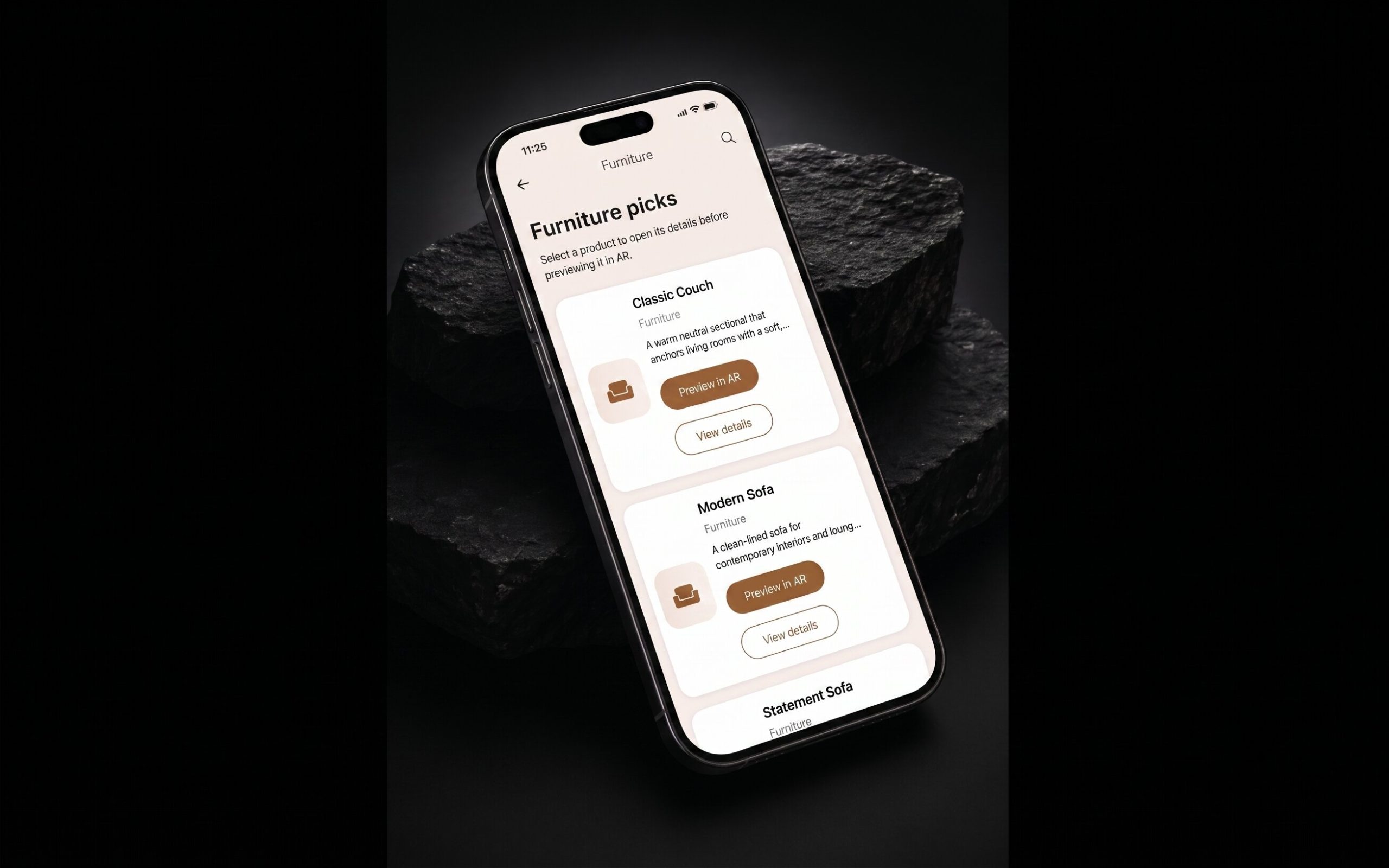
A clean, mobile-friendly catalog organized by categories: Furniture, Decor, Appliances, Electronics, and Plants. Users browse visually with product thumbnails and names, making discovery fast and intuitive.
Product Detail View
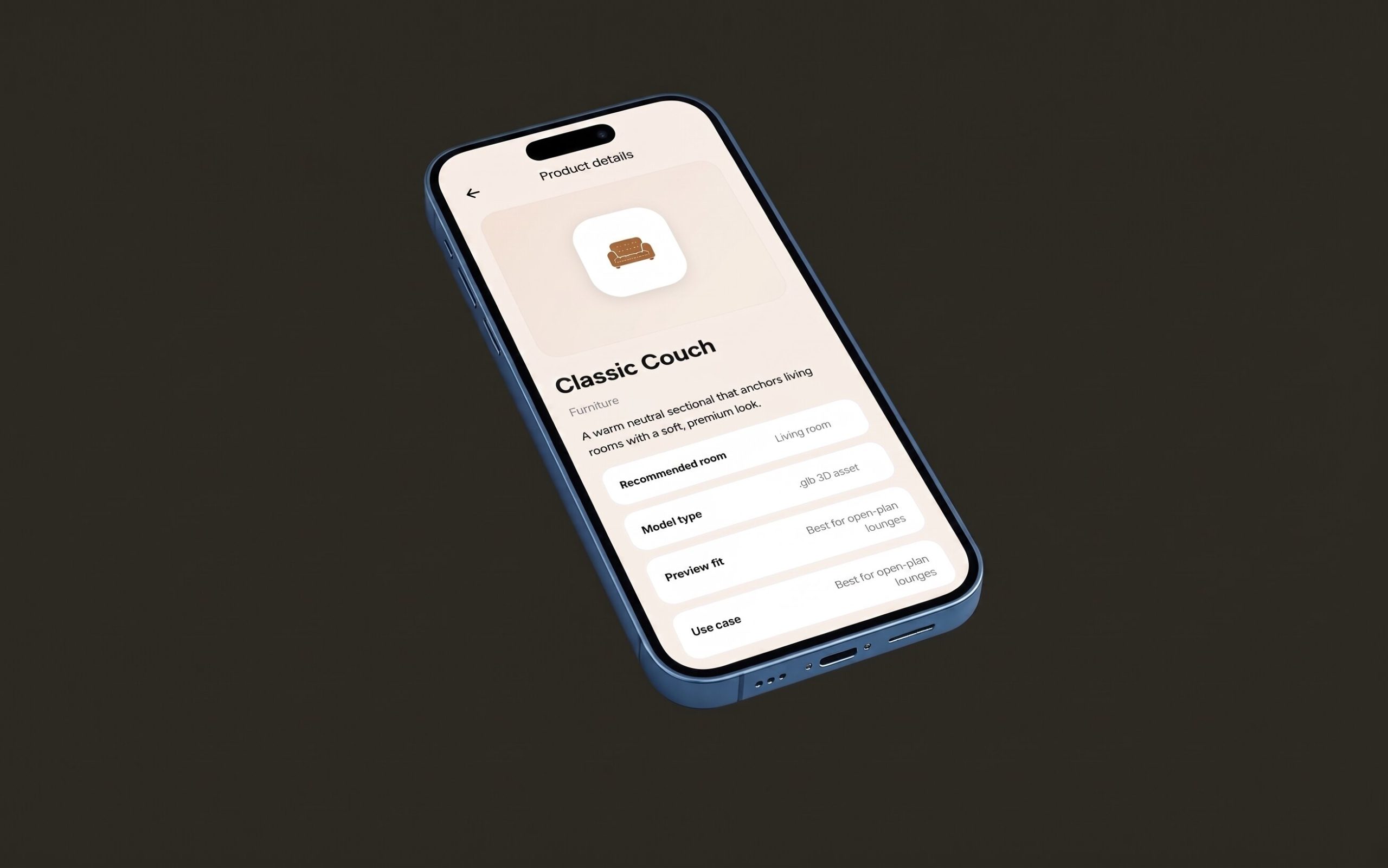
Each product has a dedicated detail page with its name, category badge, and a detailed description. Users can read about the product before previewing it in AR, ensuring they understand what they are about to place in their space.
AR Camera Launch
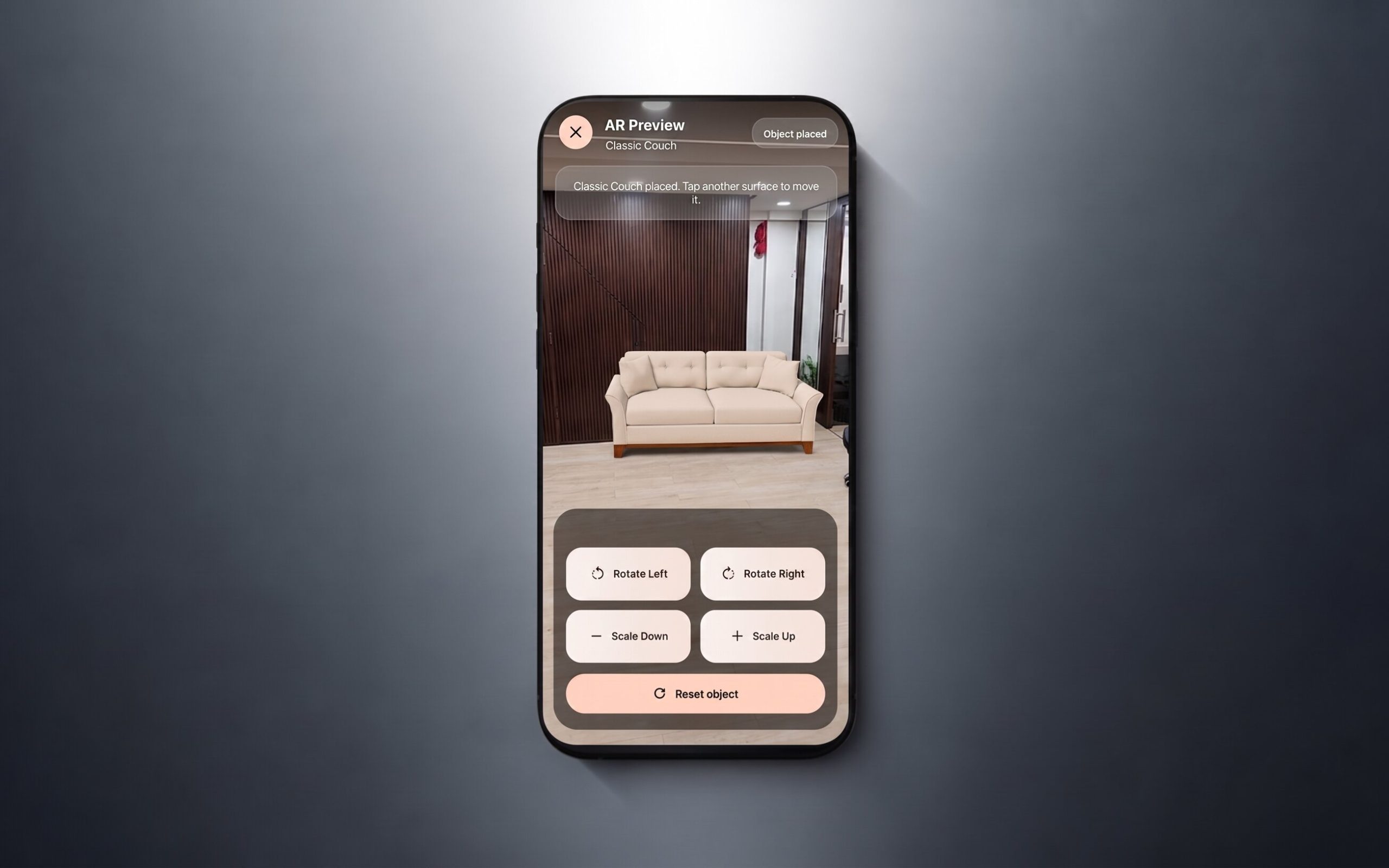
Tapping “Preview in AR” opens the camera view with real-time plane detection. The app requests camera permissions gracefully and shows guidance text to help users point their device at a floor or table surface.
Surface Detection & Placement
The app scans the environment and detects flat surfaces such as floors and tabletops. Yellow plane visualization gives users clear feedback when a surface is detected. Users tap anywhere on a detected plane to place the 3D model at that location.
3D Model Controls
Once a model is placed, users can interact with it using on-screen controls. Rotate to see the product from every angle. Scale to adjust size perception. Move to reposition. Reset to revert to the original placement.
Model Handling Pipeline
Products use a structured data model that separates metadata from UI logic. Each product includes name, category, description, .glb file reference, icon, recommended room, and highlight. This makes the catalog easy to expand without code changes.
Fallback & Error Handling
If a device does not support ARCore, the app shows a clear fallback screen explaining the requirement. This keeps the experience understandable on any device and prevents confusion about why AR is unavailable.
Clean AR Interface Design
The AR overlay is designed to feel practical and easy to use. Clear guidance text, the selected model name shown in the overlay, modern control buttons, and a minimal interface ensure users focus on the product, not the UI.

Use Cases

Six Ways AR Home Decor Preview Delivers Value
From casual shoppers to interior designers, the app adapts to diverse home styling and shopping needs – all from a simple mobile interface.

Interior Design Planning

Interior designers can test furniture and decor combinations in a client's space before purchasing. The AR preview provides a realistic sense of scale, placement, and visual harmony.

Shopping Confidence

Shoppers can see exactly how a sofa, table, or lamp will look in their actual living room before buying — reducing hesitation and increasing purchase confidence dramatically.

Multi-Room Planning

Users can preview products across different rooms — a sofa for the living room, a table for the dining area, plants for the balcony — all within the same app session.

Furniture Retail Showrooms

Retailers can offer AR previews in-store or online, letting customers visualize inventory in their own homes. This bridges the gap between showroom browsing and real-life placement.

E-Commerce AR MVP

Online home decor stores looking for a practical AR visualization MVP can deploy this app as a standalone product previewer. Simple, fast, and focused on what matters most.

Room Layout Experimentation

Anyone planning a room rearrangement can test different furniture configurations virtually. Move a sofa here, a table there — all before lifting a single physical item.

Results

A Production-Ready AR Shopping Experience
The AR Home Decor Preview app delivers a polished, practical AR product visualization experience. It is fully offline-capable, easy to expand with new products, and provides a stable AR experience across supported Android devices.
Key Outcomes:

201, Globe Business Park,

Kalyan – Badlapur Rd, Ambernath (W), Maharashtra – 421501

201, Globe Business Park, Kalyan – Badlapur Rd, Ambernath (W), Maharashtra – 421501

+91 7208187405
contact@immensotech.com

Start Your Project

I am interested in :

No file chosen
Share Your Project Details

Tell us what you’re building. Our team will respond with a clear technical plan within 24 hours.

Select Services:

Fast response within 24 hours, fully NDA-protected.

PRASHANT BHOIR

Technical Specialist / Mobile & DevOps Engineer

12+ years experience

Senior technical leader with strong experience across mobile development, infrastructure, database administration, DevOps, and delivery management. Capable of leading teams, planning technical execution, allocating tasks, reviewing delivery progress, and supporting client-facing technical discussions.
Skills & Technologies

React.js

JavaScript

Flutter

Angular

Node

React Native

Ionic
Hybrid
Android

AdonisJS

Express.js

REST API

MySQL

Firebase

Engagement Rates

Part-Time

$20hr

Full-Time

$2,000/mo

Experts in 40+ technologies.

Frontend

Backend

Design

E-commerce

Mobile

Frameworks

Cloud

CMS

Database